Your workspace isn’t just where you clock hours—it’s the silent partner in everything you create, strategize, and accomplish. Whether you’re running a global consultancy from a converted closet or managing creative projects in a sun-drenched corner of your living room, the architecture of your environment directly impacts your output, wellbeing, and professional satisfaction.
The modern home office has evolved far beyond a desk and chair. It’s a curated ecosystem where ergonomics meet aesthetics, where technology integrates seamlessly with human needs, and where every element—from the color of your walls to the way sound moves through the space—works in concert to support your best work. This isn’t about Instagram-worthy setups that sacrifice function for form. It’s about designing a command center that respects your body’s needs, honors your workflow, and creates an environment where deep focus becomes effortless.
In this guide, we’re exploring ten sophisticated strategies that transform any workspace into a productivity powerhouse. These aren’t generic tips—they’re design principles backed by behavioral science, spatial psychology, and real-world application. Whether you’re working with 50 square feet or 500, these ideas will help you architect a space that elevates both your daily experience and your long-term career trajectory.
Ergonomic Essentials: Furniture That Supports Your Body and Work
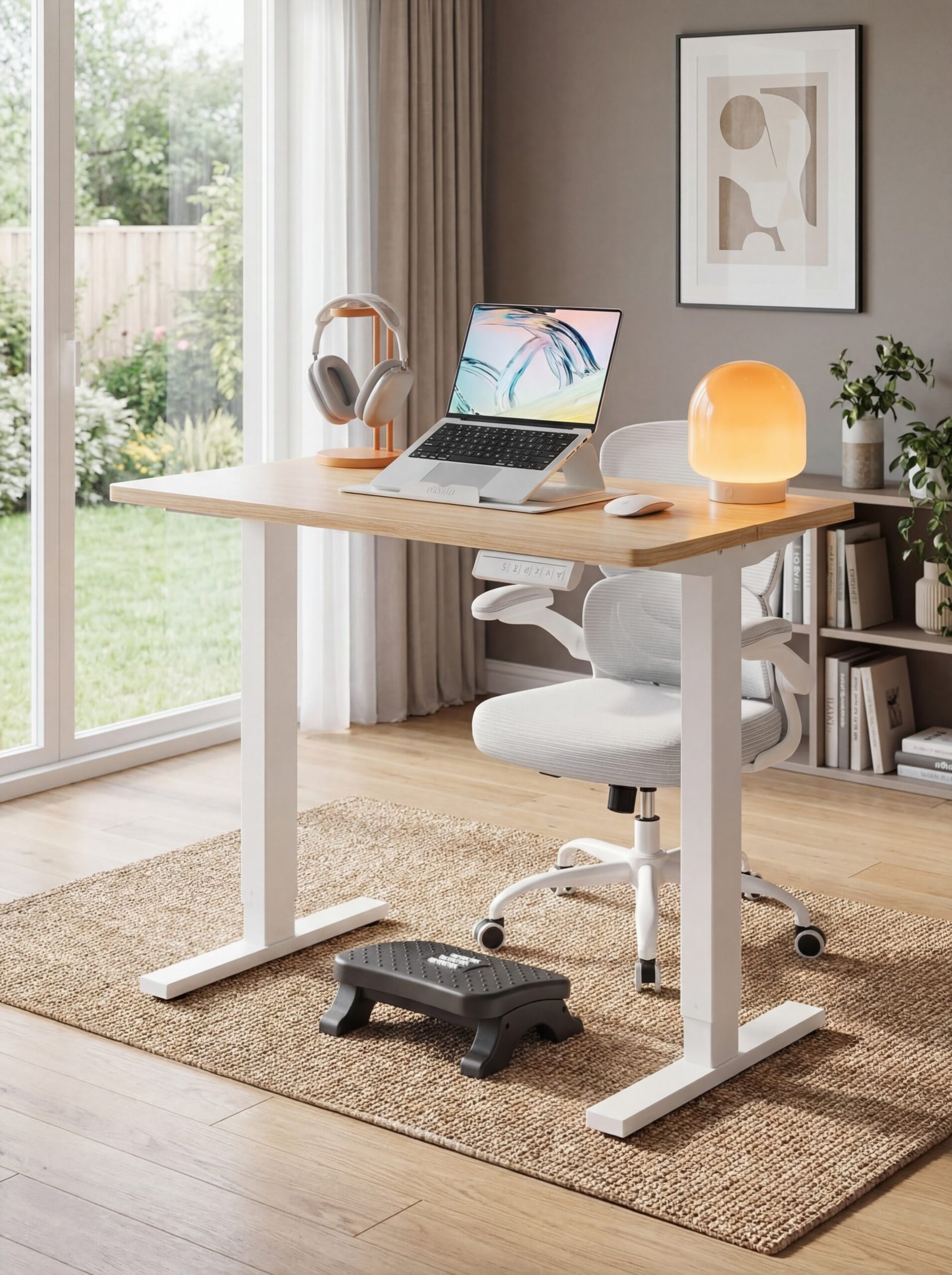
The foundation of any productive workspace begins with furniture that understands human anatomy isn’t designed for eight-hour sitting marathons. Your body requires dynamic support—furniture that adapts to your natural movements rather than forcing you into static positions that compromise circulation, spinal alignment, and muscular health.
Start with an adjustable-height desk system that allows seamless transitions between sitting and standing throughout your day. The HUANUO Electric Standing Desk offers four programmable memory settings, letting you switch positions with a single touch. This isn’t about standing all day—it’s about giving your body options. Research shows that alternating positions every 30-45 minutes significantly reduces fatigue, improves circulation, and maintains mental clarity during extended work sessions.
Your chair deserves equal consideration. The TRALT Ergonomic Office Chair combines breathable mesh construction with adjustable lumbar support that moves with your spine rather than against it. The flip-up armrests are a game-changer for those who need to pull close to the desk or prefer armless typing positions. Look for chairs with synchronized tilt mechanisms that maintain proper hip-to-knee angles regardless of your recline position.
Don’t overlook the importance of foot positioning. When your feet dangle or strain to reach the floor, you create tension throughout your entire posterior chain. An ergonomic footrest with massage rollers provides adjustable height support while stimulating circulation in your lower legs—a detail that becomes surprisingly significant during intensive project sprints.
Color Psychology for Peak Performance in Your Workspace
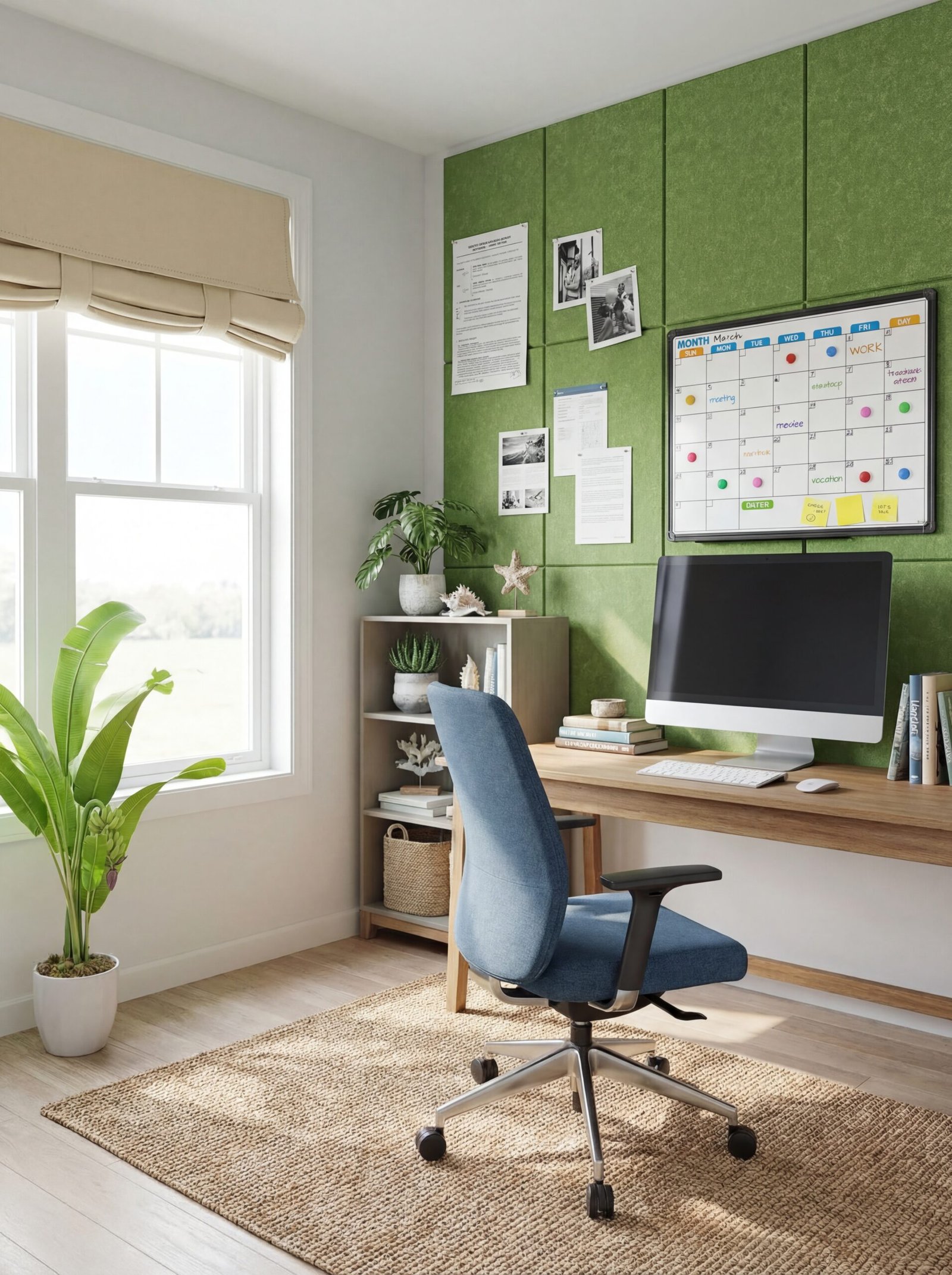
Color operates as invisible architecture—it shapes mood, influences energy levels, and can either support or sabotage your cognitive performance. The shades surrounding you aren’t merely decorative; they’re functional tools that impact everything from creativity to analytical thinking to stress resilience.
For spaces requiring sustained focus and analytical work, cooler tones create psychological calm without inducing drowsiness. Soft blues and greens—particularly in muted, sophisticated variations—have been shown to reduce cortisol levels and support extended concentration. However, all-cool environments can feel clinical. Balance them with warm neutrals in your soft furnishings or accent pieces.
Consider thermal insulated curtains in soft beige to control both light temperature and acoustic properties while maintaining a grounded, professional atmosphere. These aren’t just window treatments—they’re environmental controls that regulate the quality of natural light entering your space, preventing the harsh glare that leads to eye strain and the circadian disruption that affects sleep quality.
For creative workflows, strategically introduce energizing accent colors. Felt wall tiles in grass green create a tactile, visually engaging focal wall that stimulates creative thinking without overwhelming the senses. Use them as a dynamic pinboard where project inspiration, mood boards, and evolving ideas can be displayed and rearranged—a practice that keeps creative projects visible and mentally active.
White and light gray serve as your neutralizing agents—spaces where the eyes can rest between intensive tasks. A magnetic whiteboard calendar in crisp white provides both functional organization and visual breathing room. The key is intentional distribution: 60% dominant neutral, 30% secondary supporting tone, 10% accent energizer.
Dual-Purpose Designs: When Your Office Shares Space with Life

The reality for many professionals is that dedicated office space is a luxury, not a given. Your workspace may inhabit a corner of your bedroom, share territory with your dining room, or claim real estate in a multipurpose den. Rather than viewing this as a limitation, approach it as an opportunity for intelligent, transformable design.
Visual boundaries create psychological boundaries. Even when walls aren’t an option, you can define your work territory using spatial dividers that serve multiple functions. A freestanding bookshelf room divider provides both separation and storage, creating a defined office zone without permanent construction. The open shelving maintains sightlines and natural light flow while clearly delineating work territory from living space—a crucial distinction for maintaining work-life boundaries when both occupy the same square footage.
Mobility becomes a strategic advantage in shared spaces. A rolling file cabinet transforms from desk-side storage during work hours to a discreet side table or completely concealed closet storage after hours. This flexibility allows you to fully reclaim your living space when work concludes, preventing the psychological bleed that occurs when professional materials permanently occupy personal territory.
Vertical storage maximizes your functional footprint without consuming precious floor space. Floating wooden shelves provide display and storage that rises above furniture level, keeping essential references and professional materials accessible while maintaining the clean horizontal planes that make shared spaces feel open and uncluttered. Style them with a mix of work essentials and personal objects to create a cohesive aesthetic that doesn’t announce “office” when you’re entertaining or relaxing.
Biophilic Elements That Bring Nature Into Your Work Zone

Humans possess an innate connection to natural elements—a phenomenon researchers term “biophilia.” Workspaces that incorporate organic materials, living plants, and nature-inspired patterns consistently demonstrate measurable improvements in stress reduction, cognitive performance, and overall wellbeing. This isn’t aesthetic preference; it’s neurological necessity.
Start with low-maintenance greenery that thrives in typical office conditions. Faux eucalyptus plants in ceramic pots deliver the visual and spatial benefits of greenery without the anxiety of keeping living plants thriving. While live plants are ideal when feasible, high-quality artificial alternatives provide consistent visual appeal without maintenance demands—particularly valuable for professionals with unpredictable schedules or travel commitments.
Layer your biophilic elements at multiple sight lines. Small succulent arrangements with charming hanging legs introduce personality and organic forms at desk level, creating visual interest in your immediate work zone. These whimsical touches serve a practical purpose: they provide focal points for the “micro-breaks” your eyes need throughout extended screen sessions, reducing digital eye strain and mental fatigue.
Natural materials extend beyond living plants. Wood grain, stone textures, and organic patterns connect us to natural environments even in urban settings. A metal pegboard wall organizer in white provides functional storage while creating visual rhythm and shadow play reminiscent of natural lattice patterns. Use it to display small plants, natural fiber baskets, and wooden desk accessories alongside your functional office tools—a curated ecosystem rather than clinical storage.
Strategic Lighting Layers for Energy and Eye Comfort
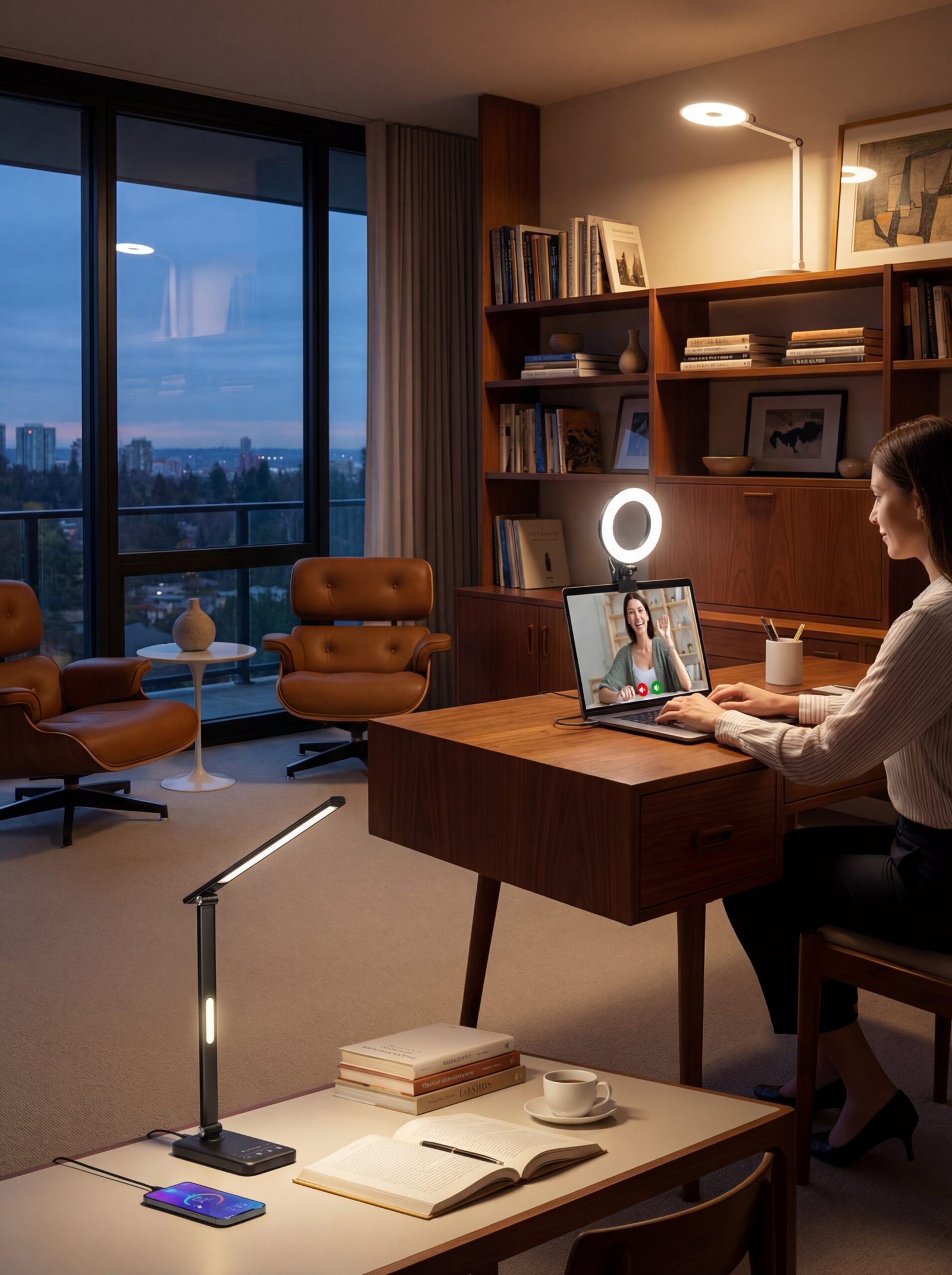
Lighting is perhaps the most underestimated element in workspace design, yet it profoundly influences everything from circadian rhythm regulation to visual accuracy to mood stability. Single overhead fixtures create harsh shadows and inadequate task illumination—a recipe for eye strain, headaches, and premature fatigue.
The foundation of superior workspace lighting is layering: ambient background illumination, focused task lighting, and accent lighting that prevents harsh contrast zones. An adjustable LED desk lamp with swing arm provides precisely directed illumination for detailed work without flooding your entire desk. Position it to eliminate screen glare while illuminating documents, keyboards, and other task surfaces. The dimming capability allows you to adjust intensity as natural light changes throughout the day.
For professionals who regularly engage in video calls, lighting quality directly impacts professional presence. A ring light designed for monitor mounting eliminates the unflattering shadows and uneven illumination that make video conferences exhausting for both participants and viewers. This isn’t vanity—it’s visual communication optimization. Clear, evenly lit facial features reduce cognitive load for viewers and convey competence and confidence.
Flexibility becomes essential in dynamic work environments. A cordless rechargeable desk lamp offers 35 adjustable light settings and USB charging capability, functioning as task lighting during intensive projects and gentle ambient light during planning or reading sessions. The memory function means it remembers your preferred settings—eliminating the friction of constant readjustment and ensuring consistent visual comfort throughout your workday.
Soundscaping Your Space: Acoustic Solutions for Deep Focus
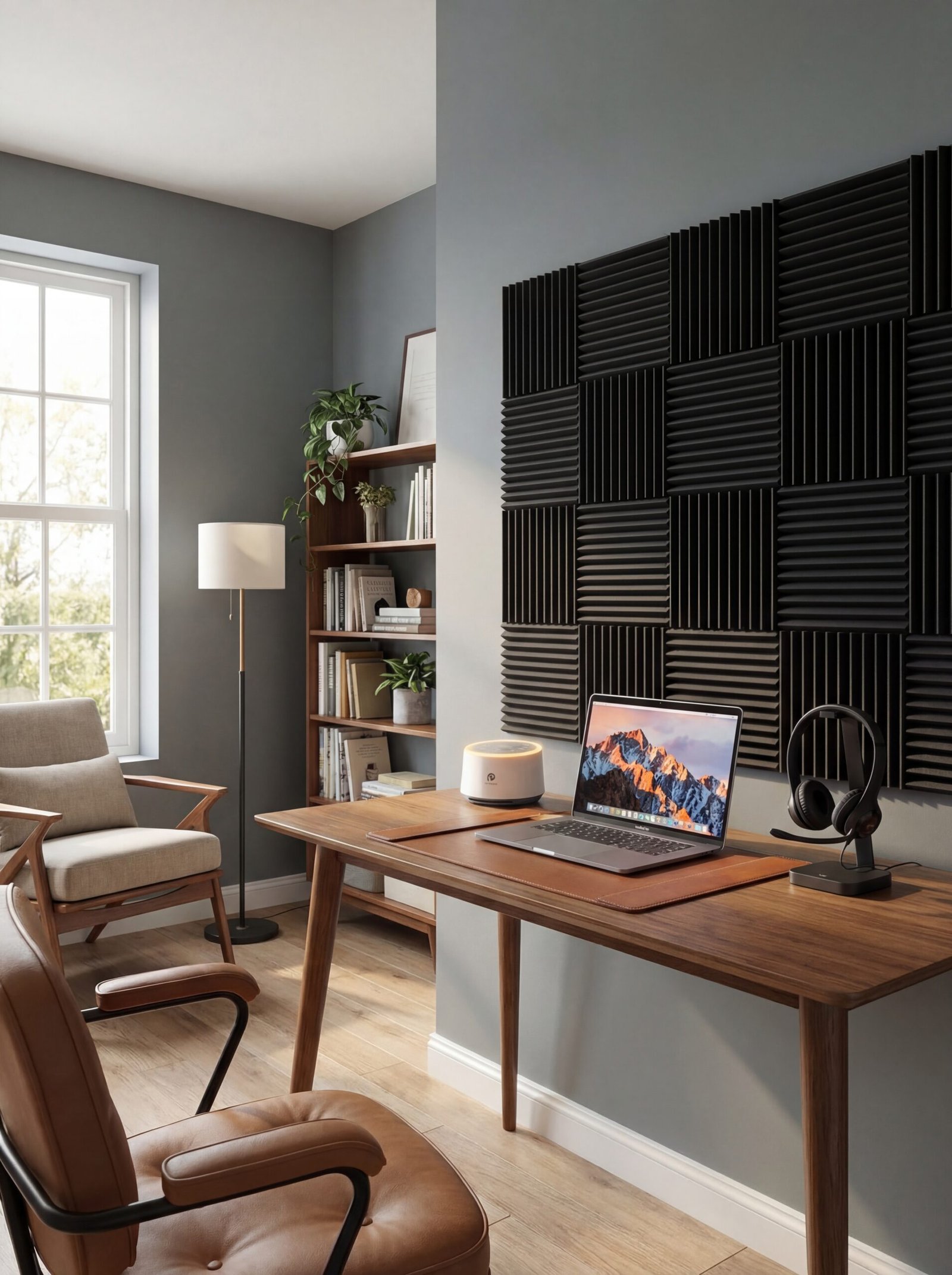
Sound is invisible architecture that shapes concentration capacity, stress levels, and cognitive performance. Open-plan homes, thin walls, and urban environments create acoustic challenges that fragment attention and elevate cortisol. Strategic sound management transforms chaotic auditory environments into supportive soundscapes that enhance rather than erode focus.
Hard surfaces create acoustic chaos by reflecting sound waves, amplifying ambient noise, and creating echo effects that make even quiet spaces feel aurally cluttered. Acoustic foam panels absorb sound energy rather than reflecting it, dramatically reducing echo and creating a more controlled audio environment. Install them strategically on walls behind your desk or on the wall opposite your primary work position—these reflect sound back toward you most directly.
Sometimes the solution isn’t eliminating sound but introducing intentional sound that masks disruptive noise. A white noise machine generates consistent, non-distracting ambient sound that obscures intermittent disruptions like traffic, conversations, or household activity. The result isn’t silence—it’s consistent, predictable sound that your brain learns to filter out, creating the perceptual equivalent of quiet without requiring actual acoustic isolation.
For professionals managing virtual meetings, phone calls, or requiring verbal privacy, a USB headset with noise-cancelling microphone provides dual functionality. It creates personal acoustic isolation during incoming calls while ensuring your voice transmits clearly without ambient noise contaminating the audio feed. This bidirectional noise management is essential for maintaining professional standards in home environments where you can’t control all acoustic variables.
The Clutter-Free Command Center: Smart Storage Architecture
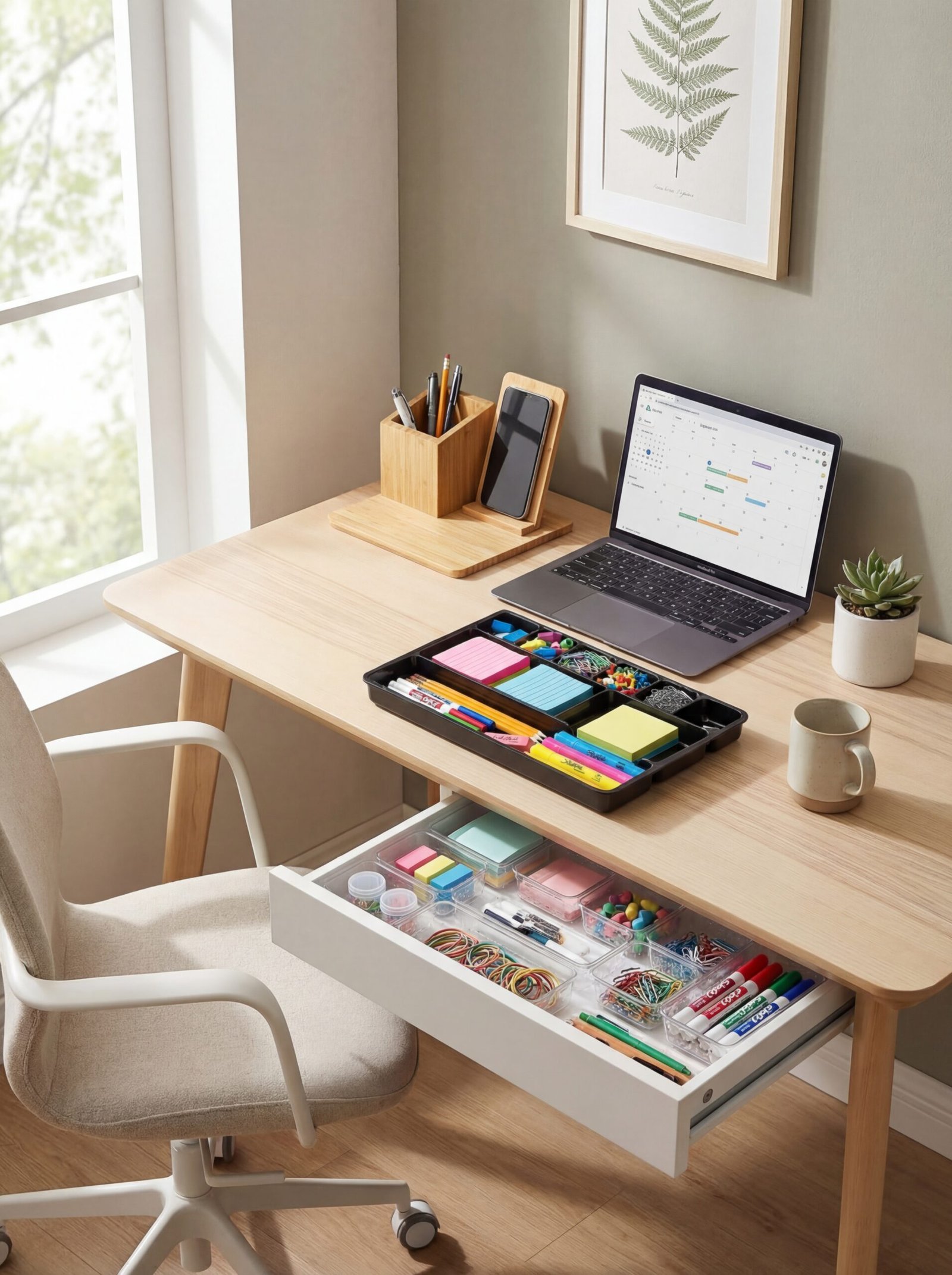
Visual clutter creates cognitive clutter. When your workspace contains uncategorized materials, accumulating supplies, and visible disorder, your brain expends processing power managing that environmental chaos—energy that should fuel your actual work. Intelligent storage isn’t about hiding everything; it’s about creating systems where every item has a designated home that supports efficient retrieval and intuitive organization.
Drawer organization often receives minimal attention, yet drawers typically contain the tools you access most frequently. Transform chaotic catch-all drawers with modular clear organizer sets that create designated zones for specific item categories. The transparency allows instant visual inventory without opening multiple compartments—a subtle efficiency that compounds significantly across weeks and months of daily use.
Dual-purpose drawer organizers maximize efficiency by accommodating multiple supply types within a single footprint. 9-compartment organizer trays handle everything from writing instruments to paper clips to USB drives within one compact system. The key is maintaining category discipline—once you establish zones for specific items, consistently return them to those locations. This muscle memory automation reduces decision fatigue and maintains organizational integrity.
Surface storage deserves equal sophistication. A bamboo desk organizer with integrated wireless charging consolidates your most-used items while providing phone charging capability—eliminating cords while maintaining device accessibility. The natural bamboo construction introduces biophilic elements while creating defined zones for pens, notes, and small accessories. Everything remains visible and accessible without creating visual chaos across your work surface.
Tech Integration Without the Tangle: Cable and Device Management
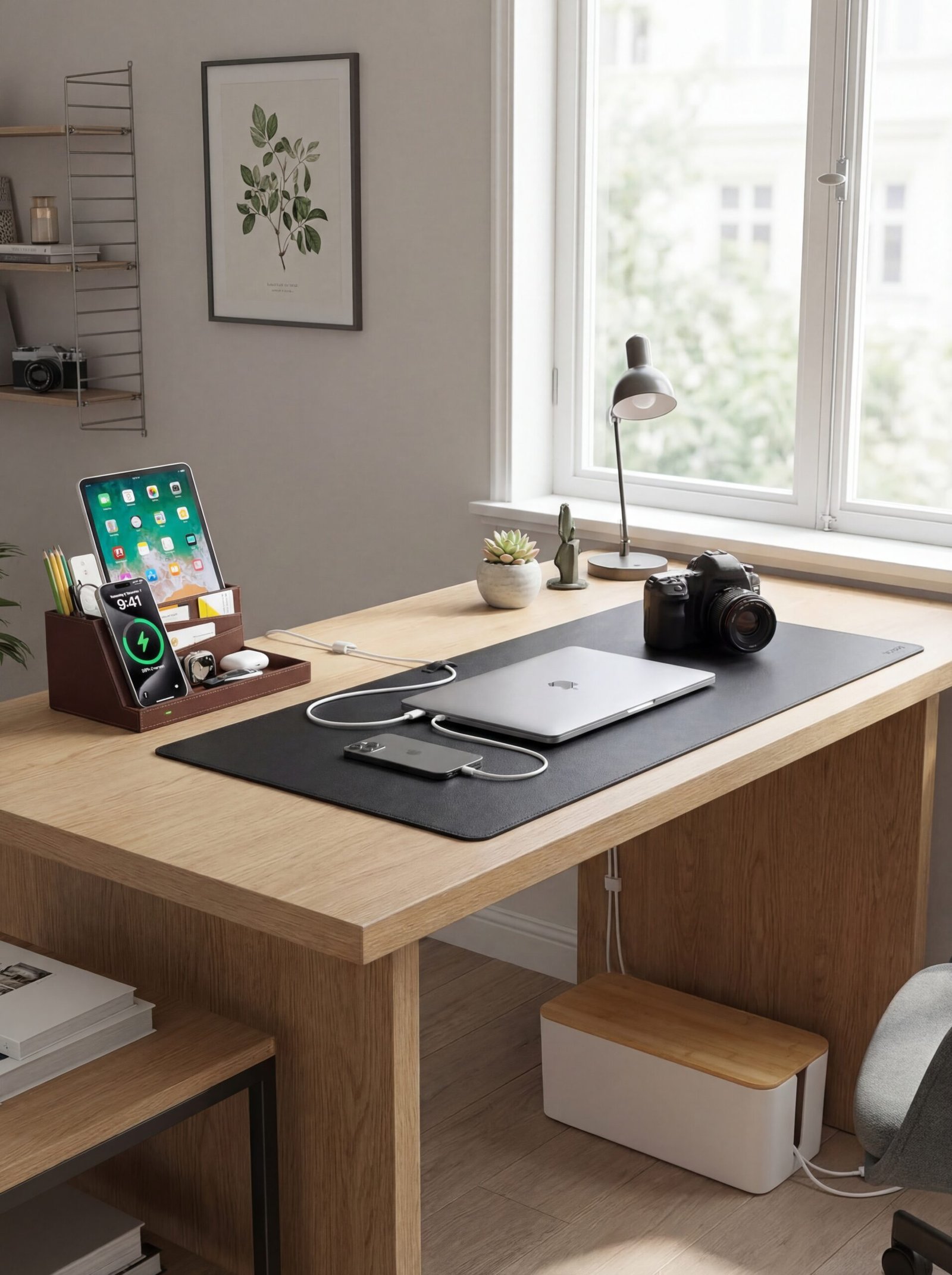
Modern workspaces require substantial technological infrastructure: computers, monitors, charging devices, peripherals, lighting systems, and connectivity hardware. Without intentional management, this creates a nest of cables that looks chaotic, collects dust, creates tripping hazards, and makes reconfiguration unnecessarily complicated.
Centralized power management is the foundation of clean cable architecture. A large cable management box conceals power strips and excess cable length in an attractive enclosure that looks intentional rather than apologetic. Route all power cables into this single hub, keeping only the minimal necessary length exposed. This approach dramatically reduces visual clutter while making it simple to add or remove devices without excavating through cable tangles.
Your desk surface itself can contribute to cable management. A premium leather desk mat with cable organization features provides a defined work surface while incorporating channels and clips that route cables along the mat’s edge. This keeps charging cables and peripheral connections accessible without allowing them to migrate across your work surface. The leather construction adds sophisticated texture while protecting your desk from scratches and wear.
Wireless charging eliminates cables for your most frequently charged devices. A wireless charging station with integrated desk organizer creates a dedicated device docking zone that powers your phone while providing compartmentalized storage for small items. This consolidation prevents the scattered-device phenomenon where phones, earbuds, and accessories migrate around your workspace searching for charging solutions.
Personal Touches That Fuel Motivation Without Distraction
The tension between professional functionality and personal expression is one of the most challenging aspects of home office design. Too sterile, and your space feels institutional, failing to inspire or reflect your identity. Too personalized, and you create visual noise that fragments attention and diminishes the psychological seriousness required for professional work.
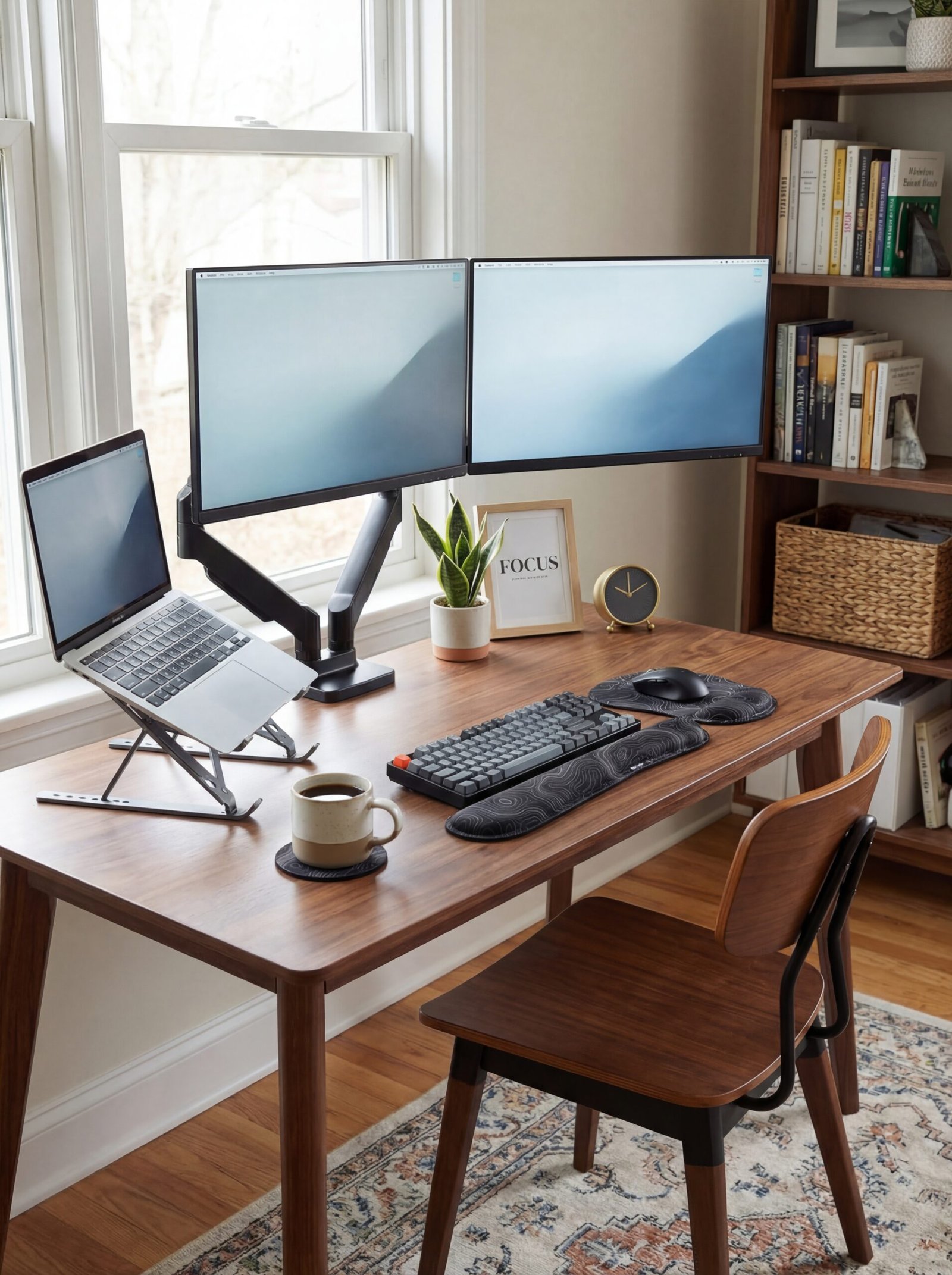
Screen positioning dramatically impacts both ergonomics and visual focus. A dual-arm monitor mount elevates displays to proper eye level while reclaiming valuable desk surface. Beyond ergonomics, this creates a more professional visual backdrop for video calls and establishes clear visual hierarchy in your workspace—screens become the focal point rather than competing with surrounding objects for attention.
Laptop elevation addresses the ergonomic disaster of hunching over low screens while creating architectural interest in your workspace. A portable aluminum laptop stand brings your screen to proper height, allows external keyboard and mouse use, and creates visual layers in your desktop composition. The sleek metal construction contributes industrial sophistication while improving airflow around your device—function and form working in concert.
Comfort accessories can carry personal style without sacrificing professionalism. Ergonomic wrist rests with decorative patterns provide essential support for extended typing sessions while introducing visual interest and personal expression. Choose patterns that resonate with your aesthetic sensibility—whether that’s geometric precision, organic forms, or cultural motifs—creating a workspace that feels authentically yours without compromising the focused atmosphere essential for productive work.
Micro-Offices, Macro Impact: Designing Productivity in Compact Quarters
Limited square footage demands heightened design intelligence. When you’re working with compact quarters—a closet conversion, narrow nook, or corner of a multifunctional room—every inch must perform multiple functions, every element must justify its spatial footprint, and vertical space becomes as valuable as horizontal real estate.
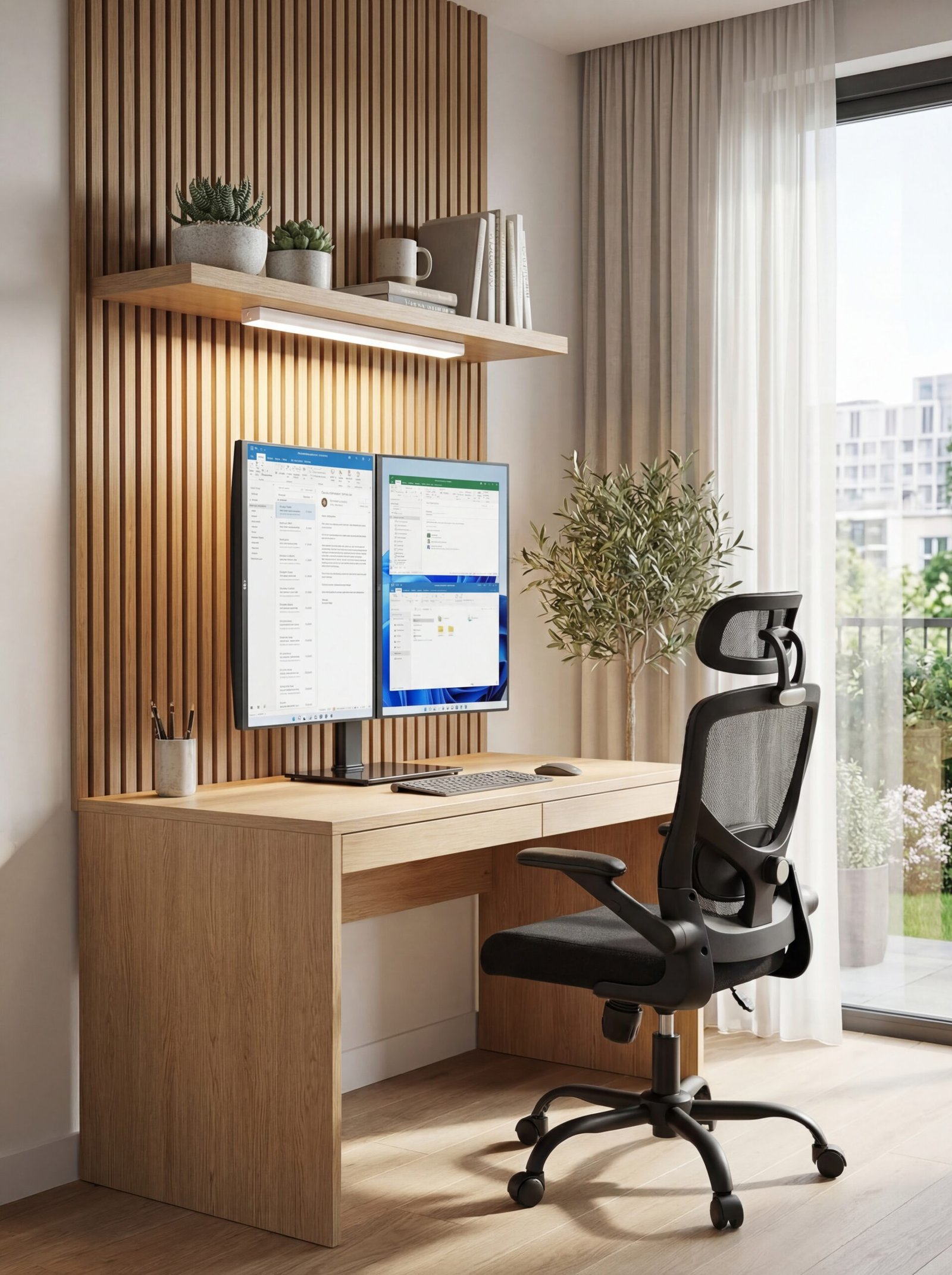
Vertical monitor stacking dramatically reduces desk footprint while maintaining multi-screen functionality. A freestanding dual monitor stand positions screens in a vertical stack rather than horizontal spread, cutting required desk width in half. This configuration works particularly well for workflows that involve reference material on one screen and active work on the other—your eyes travel vertically rather than horizontally, a more natural and ergonomically comfortable scanning pattern.
Under-utilized spaces offer storage and functionality without consuming primary workspace. Hardwired under-cabinet LED lighting transforms the space beneath wall-mounted shelves or cabinets into illuminated work zones. This lighting approach provides excellent task illumination without requiring desk surface space for lamps, while the hardwired installation eliminates the cord management challenges that plague small spaces.
Furniture scale must match spatial scale. Full-size executive chairs overwhelm compact workspaces and restrict movement in tight quarters. An ergonomic mesh chair designed for compact spaces provides essential lumbar support and adjustability without the visual and physical bulk of larger models. The mesh construction maintains the open, uncluttered aesthetic that prevents small spaces from feeling cramped while providing the ventilation that becomes critical in compact, potentially poorly ventilated work areas.
Quick Tips for Home Office Success
- Establish spatial boundaries: Even in shared spaces, use rugs, lighting, or furniture arrangement to define your work territory psychologically and visually.
- Implement the “one touch” rule: When you finish using something, immediately return it to its designated storage location rather than creating temporary holding zones.
- Schedule lighting transitions: Use smart bulbs or timers to shift from cool, energizing light in the morning to warmer tones as the day progresses, supporting natural circadian rhythms.
- Create end-of-day rituals: Develop a consistent shutdown sequence—clearing your desk, reviewing tomorrow’s priorities, physically leaving the space—that signals work conclusion to your brain.
- Invest in dual functionality: Every item in a compact or shared workspace should serve multiple purposes—storage that provides seating, lighting that charges devices, organization that displays inspiration.
- Position your desk strategically: Whenever possible, face your desk toward natural light sources rather than away from them, reducing eye strain and improving mood regulation.
- Maintain “visual quiet zones”: Reserve at least one wall or surface area for minimal visual input—a place your eyes can rest during intensive cognitive work.
- Upgrade incrementally: Rather than attempting complete workspace transformation simultaneously, improve one element monthly, allowing time to evaluate each change’s impact before adding complexity.
Frequently Asked Questions
How much should I budget for a complete home office setup?
A functional, ergonomically sound workspace can be established for $800-1,500, covering essential furniture, lighting, and organizational systems. Premium setups with advanced ergonomics, high-end furniture, and comprehensive tech integration typically range from $2,500-5,000. The key is prioritizing foundational elements—proper seating and desk height—before investing in accessories and aesthetic refinements.
What’s the ideal room temperature for productive office work?
Research consistently shows optimal cognitive performance occurs between 68-72°F (20-22°C). Individual preferences vary slightly, but temperatures above 75°F typically reduce concentration and increase error rates, while temperatures below 65°F create distraction and discomfort. Maintain consistent temperature rather than fluctuating extremes, as adaptation to temperature changes consumes cognitive resources.
How do I maintain work-life boundaries when my office is in my home?
Physical separation—even symbolic—is essential. Establish clear spatial boundaries, implement consistent work hours, create shutdown rituals that signal work conclusion, and physically close doors or cover equipment when work ends. The goal is creating psychological distance between professional and personal modes, even when physical distance is limited.
Should I position my desk facing a wall or facing the room?
This depends on your work style and distraction susceptibility. Wall-facing positions minimize visual distractions and create focused cocoons ideal for concentration-intensive work. Room-facing positions maintain spatial awareness, feel less isolated, and work well for collaborative roles requiring frequent interruption management. Consider adjustable positioning that allows both configurations depending on task requirements.
How often should I replace office chair and ergonomic equipment?
Quality ergonomic chairs typically maintain structural integrity for 7-10 years with proper care, though foam compression may require earlier replacement for individuals using chairs 40+ hours weekly. Monitor ergonomic equipment for reduced adjustability, material degradation, or discomfort emergence—these signals indicate replacement need regardless of time elapsed. Premium equipment justifies higher initial investment through extended longevity and superior support.
Conclusion: Your Workspace as Strategic Investment
The space where you work isn’t overhead—it’s infrastructure. Every element you’ve explored in this guide represents an investment in your professional capacity, cognitive performance, physical wellbeing, and long-term career sustainability. The cumulative impact of proper ergonomics, intelligent storage, strategic lighting, and thoughtful environmental design compounds significantly across weeks, months, and years of daily use.
Approach your workspace development as an evolving system rather than a single project. Start with foundational elements that directly impact your physical comfort and workspace functionality. Build from there, adding layers of sophistication as budget allows and as you better understand your specific workflow requirements. The most effective workspaces aren’t designed in a day—they’re refined through observation, adjustment, and ongoing optimization.
Your home office is where ideas become reality, where professional identity takes shape, where your daily contribution to the world originates. It deserves the same strategic attention, intentional design, and quality investment you’d apply to any other tool essential to your professional success. The space you create today shapes the work you’ll produce tomorrow—and the career trajectory you’ll follow for years to come.
